
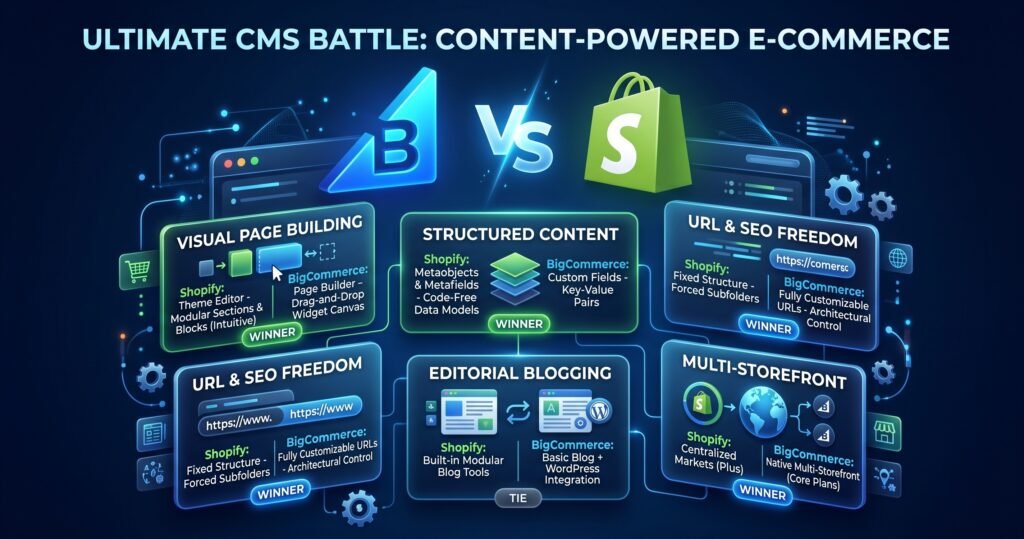
Most store owners pick an e-commerce platform based on checkout speed or payment fees. But if organic search, content marketing, and brand storytelling drive your customer acquisition, the platform’s Content Management System (CMS) matters just as much as its shopping cart.
Here is a streamlined comparison of how Shopify and BigCommerce handle landing pages, blogging, custom data, and SEO.
Quick Comparison
| CMS Feature | Shopify | BigCommerce | Winner |
| Visual Page Editor | Sections & Blocks (Theme Editor) | Page Builder (Widget Canvas) | Shopify |
| Structured Content | Native Metafields & Metaobjects | Basic Custom Key-Value Fields | Shopify |
| URL Control & SEO | Fixed subfolder paths (/products/) | Fully customizable URL paths | BigCommerce |
| Blogging Engine | Built-in modular blog tools | Simple native blog + WordPress plugin | Tie |
| Multi-Store Management | Native on Enterprise (Shopify Plus) | Built-in on standard plans | BigCommerce |
1. Visual Page Building
Goal: Allow non-technical marketers to launch custom landing pages without developer help.
- Shopify (Sections & Blocks): Uses a visual sidebar where you stack, reorder, and customize modular sections (such as image grids, product carousels, and rich text blocks). It keeps styling consistent and mobile-responsive across your entire store.
- BigCommerce (Page Builder): Features a drag-and-drop canvas where you place content widgets (text, images, HTML containers) directly onto a live preview.
The Verdict: Shopify. Its section-based architecture makes page building faster and more reliable for non-technical teams.
2. Structured Data & Custom Content
Goal: Display complex data like ingredient lists, technical specs, or author bios across your store.
- Shopify (Metafields & Metaobjects): Highly adaptable. You can build custom content models (e.g., a “Size Guide” or “Ingredient Breakdown”) in the admin dashboard and link them visually to page templates without touching code.
- BigCommerce (Custom Fields): Uses standard key-value pairs (e.g.,
Material: Cotton). While great for product filtering, building non-product content structures requires GraphQL API customization.
The Verdict: Shopify. Metaobjects transform Shopify into a flexible, code-free database for custom content.
3. SEO & URL Freedom
Goal: Maintain clean site hierarchy, protect rankings during migrations, and customize canonical paths.
- Shopify: Enforces fixed subfolder directories (
/products/,/collections/,/pages/). You cannot create flat URLs or remove these mandatory path prefixes. - BigCommerce: Offers complete freedom over URL structure. You can define custom URL formats for products, categories, and web pages to match legacy site paths seamlessly.
The Verdict: BigCommerce. Full URL customization gives SEO managers maximum control during site migrations and URL optimizations.
4. Blogging & Editorial Content
Goal: Publish long-form guides and articles to capture organic search traffic.
- Shopify: Includes an easy-to-use native blogging engine with support for tags, multi-author tags, publication scheduling, and comments out of the box.
- BigCommerce: Features a basic entry editor for quick announcements, but provides an official BigCommerce for WordPress plugin. This allows you to run a full WordPress frontend while BigCommerce handles commerce backend tasks.
The Verdict: Tie. Shopify is better out of the box for standard blogging; BigCommerce wins if you prefer powering your content with WordPress.
5. Multi-Storefront Expansion
Goal: Manage multiple sub-brands, regional stores, or B2B channels from one central hub.
- Shopify: Localizes currencies and languages via Shopify Markets. However, operating completely distinct store themes for separate sub-brands usually requires upgrading to enterprise-tier Shopify Plus.
- BigCommerce: Native Multi-Storefront (MSF) capabilities are built into core plans, allowing you to launch distinct storefronts with unique domains and designs from one control panel.
The Verdict: BigCommerce. You can scale multi-brand stores on standard pricing tiers without paying enterprise platform fees.
How to Choose
Choose Shopify if:
- Your marketing team needs an intuitive visual builder to publish landing pages quickly.
- You want to manage custom content types (like lookbooks or detailed specs) using visual Metaobjects.
- You prefer an all-in-one platform with a massive app ecosystem for marketing tools.
Choose BigCommerce if:
- Custom URL structures and precise SEO migration paths are essential.
- You want to connect a full WordPress site to your e-commerce engine.
- You need to operate multiple distinct store domains without upgrading to an enterprise plan.